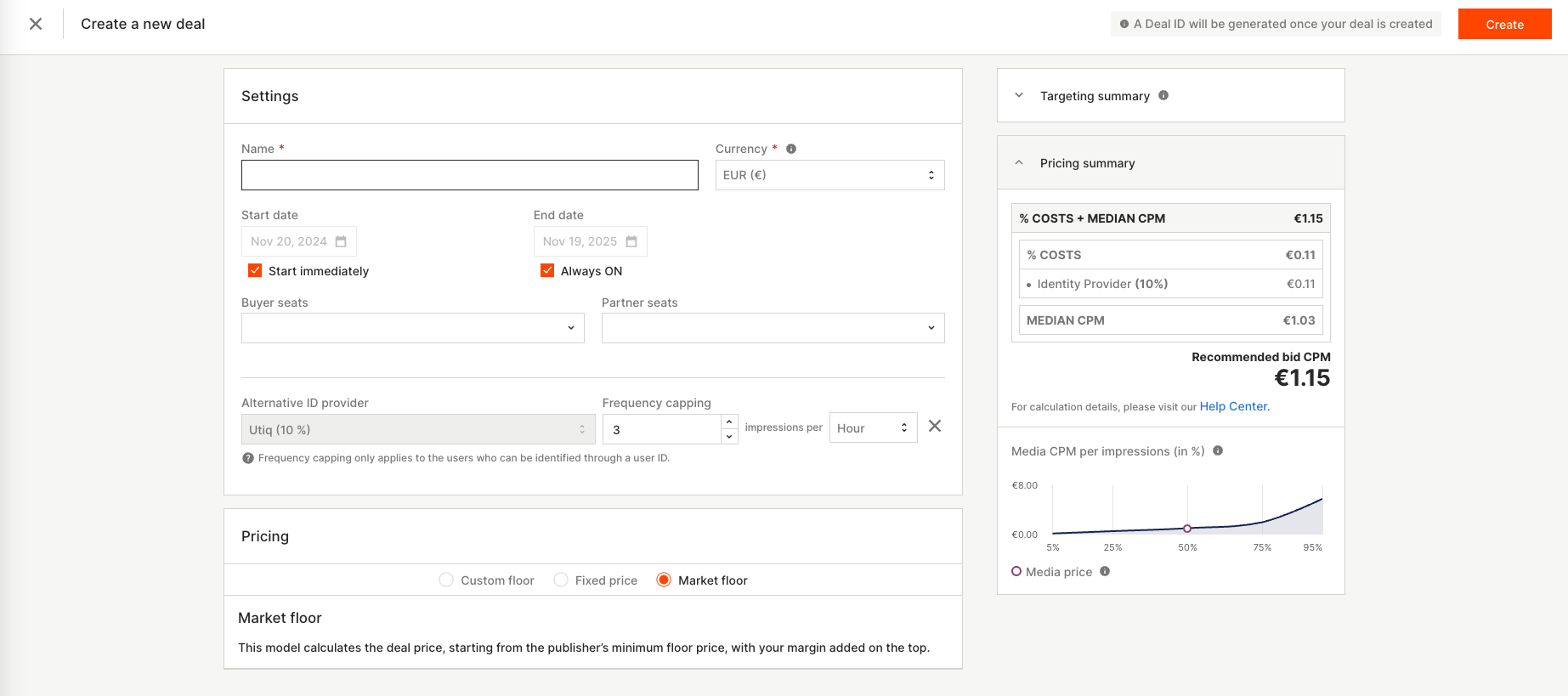
This use case allows brands to use their first-party data to retarget specific customer segments or exclude them from campaign delivery.
2 Different objectives:
-
Retargeting: Engage with an audience segment defined by your first-party data, such as existing customers or high-value prospects.
-
Exclusion: Prevent specific audiences, such as current customers, from seeing your ads to focus on acquisition or other priorities.
Implementation Steps:
-
Onboard Your Data: Upload your first-party data (e.g., CRM or loyalty program lists) to the Equativ platform. This data will be tokenized and integrated into the targeting setup in a privacy-compliant manner. [Link to Tech Documentation]
-
Create a Targeting Segment:
-
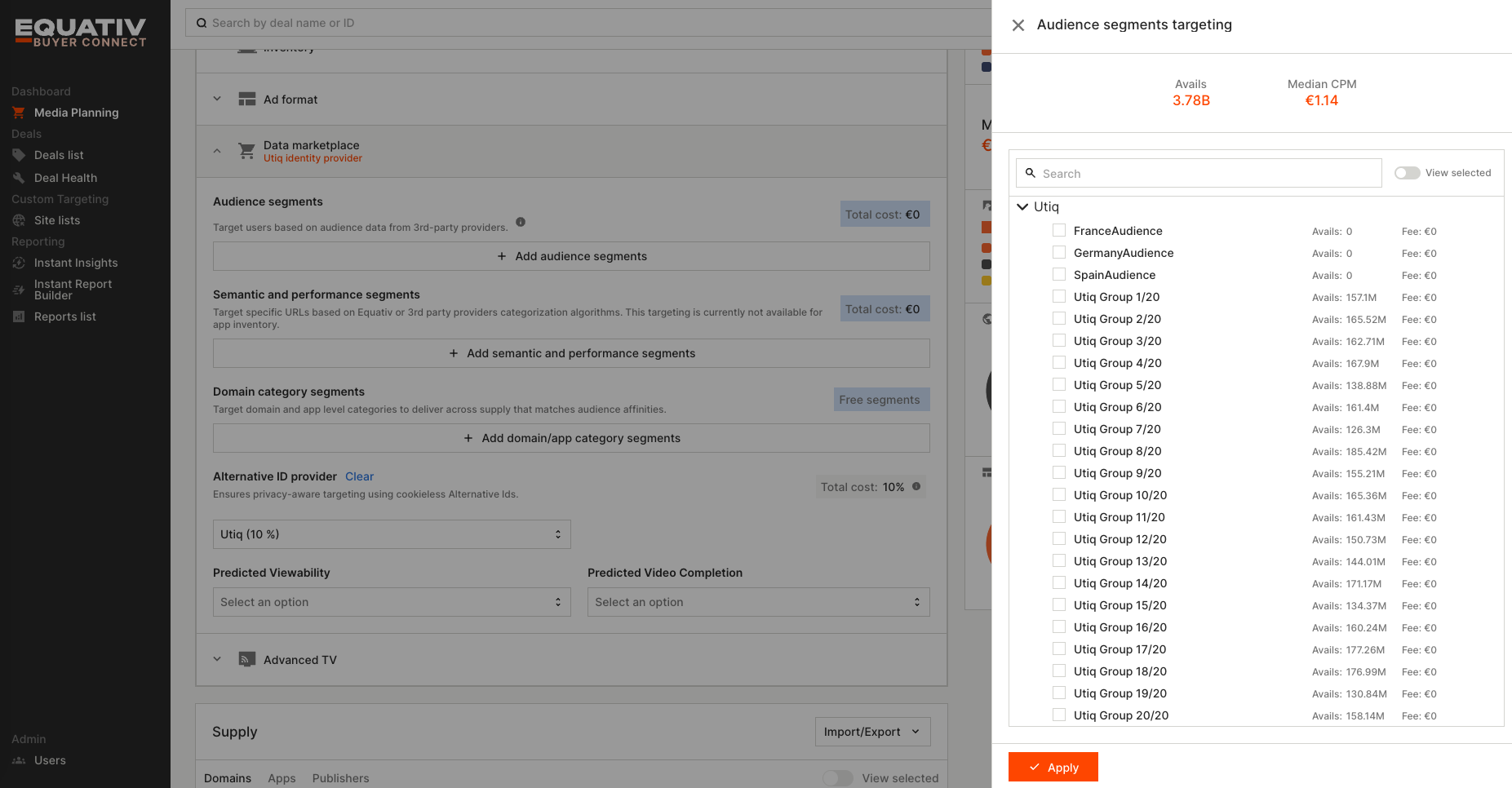
Select the segment based on the onboarded data. Search for your curator name within Audience segments clicking on “+ Add Audience Segments“
-
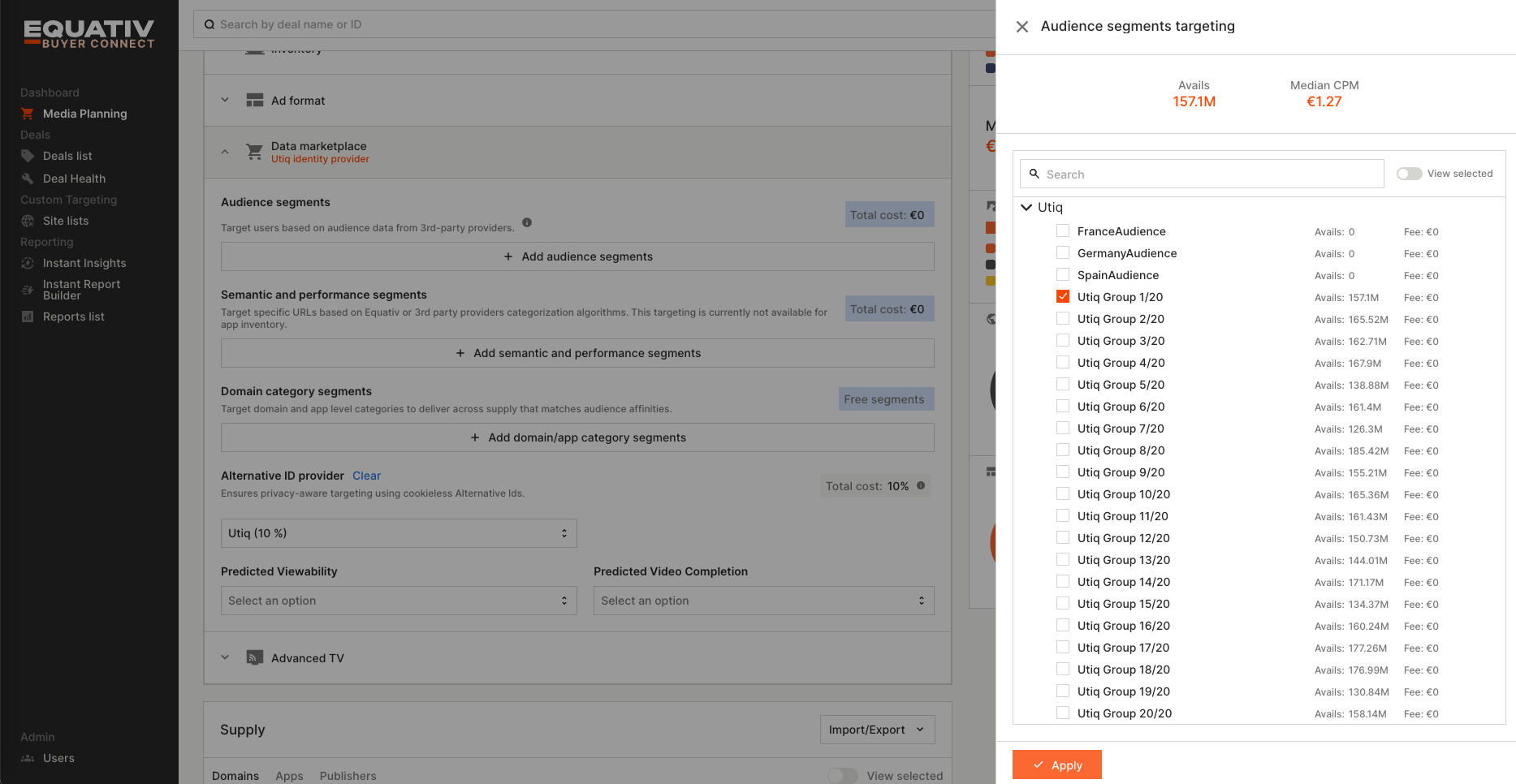
Click on the segment or segments uploaded that you want to leverage
-
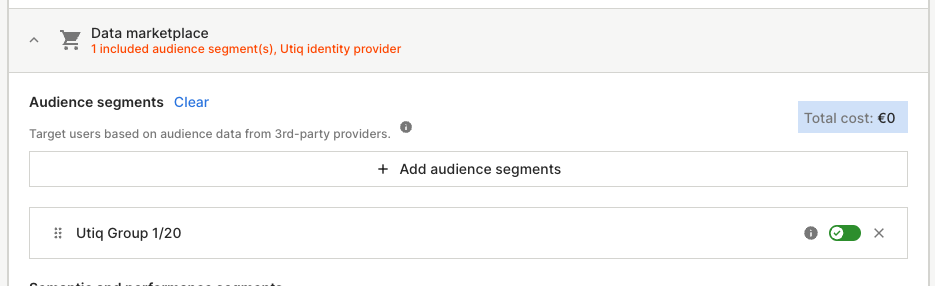
Click Apply and you can see the segment highlighted and selected
-
-
Choose the objective
-
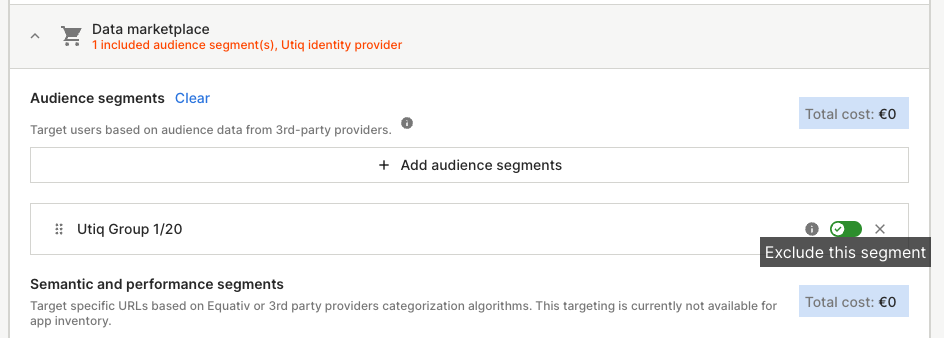
Set Up Campaigns for Re-Targeting: This is the default option once that you select a segment. You can see the toggle on green.
-
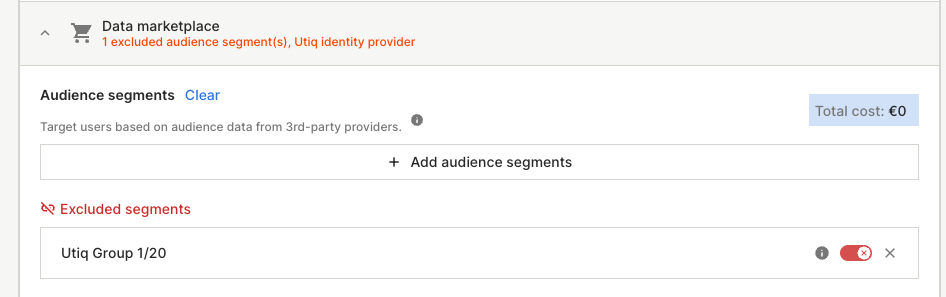
Set Up Campaigns for Exclusion: If your goal is to exclude certain users (e.g., customers who have already purchased a product), you need to:
-
click on the green switch:
-
and it will transform on a red switch:
-
-
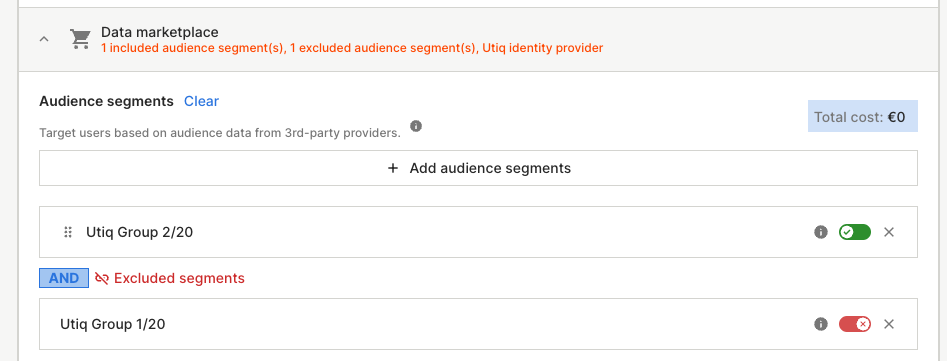
Of course you can have re-targeting segments and exclusion at the same time:
-
-
Activate the Campaign: Once the data onboarding rules are in place, you can launch your deal filling the info regarding the DSP that is receiving the deal to activate the campaign.